Home Lab in 2026: Is It Still Worth It? | The IT Guy Show Episode 023
Josh from Keep It Techie joins me for a conversation about home lab ownership in 2026, what it actually costs, what it gets you, and when it stops making sense.
This one started as a personal question I have been sitting with for a while. I have a Dell PowerEdge R720 sitting in a colocated data center in Kansas City. It is old, loud, power-hungry, and costs me $70 a month in colo fees. I have 3 gigabit Google Fiber at the apartment. At some point the math stops working in favor of the colo, and this episode is me thinking out loud about that trade-off with someone who has been through it.
Josh makes the case that home labs are still worth it in 2026, but the calculus has changed. Raspberry Pis and compact prosumer hardware have lowered the entry point considerably, but electricity and heat are real costs that blade server enthusiasts tend to underestimate until the AC bill arrives. We talked through his recommendation for the 45 Drives HL8 as a quiet, apartment-friendly storage solution, the Cloudflare tunnel approach for self-hosting without exposing ports, and the perpetual networking rabbit hole that neither of us has fully escaped.
There is also a longer thread in here about career advice, getting started in IT, and why not everyone needs to chase cybersecurity just because it is trending.
Josh’s channel is also quietly helping me prep for my Linux+ exam, which he did not know until I mentioned it on air. Worth subscribing to if you are building out your home lab or your Linux skills.
AI and the Human in the Loop: What Actually Gets Replaced | IT Guy Show Ep. 022
Episode 22 of The IT Guy Show is a milestone for me, and not just because the number is round. Karl Abbott was my very first guest back on episode one, and he came back for what turned into one of the best conversations I have had on the show.
https://youtu.be/bvhfBVEGjho
Karl is a product manager at Microsoft working on Linux vendor partnerships, a university regent, and the host of his own podcast on the human side of product management. He wrote a LinkedIn post called “AI Didn’t Replace My Work” that caught my attention and kicked off this whole episode. The short version of his argument: AI removes the mechanical friction, but it does not carry the consequence. Judgment, taste, and responsibility stay human. When the execution gets cheap, the quality of your thinking becomes the actual work.
We got into vibe coding, what it actually demands from engineers versus what people assume it removes, and why bad assumptions fed into an AI system come out looking clean and confident on the other side. We also talked about higher education, where Karl made a point that stuck with me: if students are not building judgment through struggle and repetition, schools need to be very intentional about where that formation is going to come from. I shared some of my own experience teaching Linux administration at JCCC and why I tell my students that using AI to fill out a lab is cheating themselves, not just the system.
There is also a good stretch near the end on book recommendations, including a few I had not heard of that I am now actively tracking down.
This one fits squarely in the middle of what I think about most: how people who work in technical fields stay sharp and relevant as the tools keep changing underneath them.
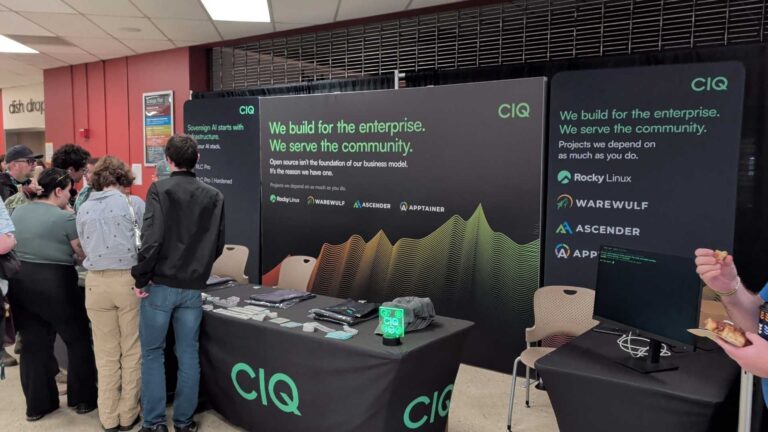
I made it to Bellingham this spring for LinuxFest Northwest, and I get why this event has been earning its reputation for 27 years.
This is not a conference where corporations show up to scan badges and hand out tote bags. No lead capture, no forced networking. Just a few hundred people who actually care about Linux, gathered in a walkable waterfront city on a genuinely beautiful spring weekend. The crowd skews toward students, hobbyists, longtime contributors, and the kind of sysadmins who have strong opinions about their chosen terminal emulator. The conversations are real, and the community is tight.
I was there representing CIQ and the Rocky Linux project alongside R. Leigh Hennig, one of Rocky’s cofounders, and a few others from the CIQ team. Having people who are genuinely part of the project made a difference on the floor. We talked migrations, automations, home lab setups, and what people are actually running in production. Good questions from people who know their stuff.
The social side matched the rest of it. Friday night at Beach Cat Brewery brought together folks from RESF, Microsoft, Fedora, CentOS, and a mix of attendees and volunteers. Saturday was dinner at Brandywine Kitchen and drinks at The Den. The kind of cross-community connection that does not happen on Slack.
I gave a talk called “Escaping the End-of-Life Nightmare: Lessons from the Linux Graveyard,” aimed at anyone who has ever inherited a server running something two major versions past EOL. It drew around 25 people and led to some good conversations afterward. When the recording goes up I will share it here.
If you have never been to LFNW, put it on your list. Bellingham is a great place to spend a spring weekend, and the community there is worth showing up for.
Bootc in Production: What It Actually Looks Like | Fedora Podcast Ep. 054
Episode 54 of the Fedora Podcast is out, and this one digs into something I am genuinely curious about for my own homelab: what does bootc look like when someone is actually running it day to day, not just kicking the tires?
https://youtu.be/6_ZzEIvNySc
James Harmison joined me to walk through how he uses bootc across a pretty wild range of contexts, from his personal laptops and a stripped-down SteamOS-style couch gaming rig, to swapping kernels in OpenShift for AMD GPU support at work. His setup replaces the traditional dotfiles repo entirely, bakes kernel modules directly into the image so DKMS and akmod are completely gone, and runs CI on his homelab to rebuild the image on every commit. It is the kind of thing that sounds overcomplicated until he explains it, and then it sounds like the only sane way to manage a system.
We also spent time on Chunkah, an upstream project working on smarter container image chunking for bootc. James was one of the first people to stress test it on a large image and found some real problems with the packing algorithm. He helped kick off the conversations that are now shaping the next release. That is the kind of quiet upstream contribution that does not always get attention but genuinely moves the project forward.
If you are curious about bootc and want to hear from someone who has been living in it for a couple of years, this episode is a solid starting point.
This is the kind of conversation that fits right in the middle of my broader interest in where Linux infrastructure is heading, both for homelabs and production environments.
GPU-Ready in Minutes: Running AI on Azure with RLC Pro AI
Getting from the Azure Marketplace to actual inference used to mean a day of driver archaeology. This webinar with Brian Dawson, Damon Knight, and Hugo from Microsoft Azure’s core engineering team is about what happens when that problem is mostly solved.
We started where most of these conversations start, which is the pain. Damon has done this setup process more times than anyone should have to, across Ubuntu, Red Hat, SUSE, and Rocky, and his description of what a typical deployment looks like before RLC Pro AI is the kind of thing that gives sysadmins flashbacks. Figuring out which drivers go with which CUDA version, whether Torch compiled for the GPU or the CPU, whether you need the CUDA toolkit on top of CUDA, and whether that first reboot is the last reboot. Brian made the point that even his conservative estimate of time saved turned out to be underselling the problem after he talked to analysts who work in this space full time.
The demos cut through a lot of that. Damon showed a fresh RLC Pro AI instance in Azure spinning up Jupyter Notebook on an H100, validating GPU access with Nvidia SMI, and running tensor math in Python, with most of the time going to Docker setup rather than anything AI-specific. The second demo was more involved: a full RAG chatbot using Microsoft’s Phi-4 model and the Open Platform for Enterprise AI reference implementation, running on an RTX preview host. Upload a PDF, ask it questions, get answers grounded in your document. Start to finish, about ten minutes.
Hugo brought a useful perspective from the Azure side. Because Azure VM types are homogeneous across regions, partners can optimize once and trust that the results hold everywhere. That consistency matters a lot when you are trying to build something repeatable. He also gave a preview of what is coming on the hardware side, including the RTX 6000 Pro hitting general availability soon and ongoing work on GB200 and GB300 deployments.
If you have been waiting for a reason to actually try running your own AI instead of just reading about it, this is a pretty good starting point. Subscribe to The IT Guy Show on YouTube and follow along at itguyeric.com for more.
Flock to Fedora 2026 is heading back to Prague this June, and on episode 53 of the Fedora Podcast, Noah and I sat down with Justin Wheeler and Emma from the Fedora design team to talk through everything contributors and community members need to know.
For anyone who hasn’t been, Flock is the Fedora Project’s annual contributor conference — not a sales event, not a product launch, just the place where a global community of mostly volunteers gets together once a year to do real work, set direction, and remind themselves why they got into open source in the first place. Justin, who serves as Fedora Community Architect at Red Hat, described it well: it’s where you go to fuel up on the energy that carries you through the rest of the year. That tracks with my own experience. Some of the best conversations in open source happen at a table at midnight over bad food and good drinks.
The decision to return to Prague for a second consecutive year was a deliberate one. Travel anxiety into the US is real for a significant portion of the global Fedora community right now, and the Prague venue worked exceptionally well last year — accessible by train and plane, flexible space, and existing relationships with the hotel. Justin was transparent that this isn’t a new permanent model, just a practical call that let the team focus on improving the conference itself rather than rebuilding logistics from scratch in a new city.
The design theme for Flock 2026 is Alchemy, and Emma walked us through the research behind it. Prague’s history with alchemy traces back to Emperor Rudolph II, who brought Europe’s top alchemists to the city during his reign in the 1500s in pursuit of the philosopher’s stone. The design team ran a community vote on potential themes and alchemy won, which gave them a rich visual direction — medieval manuscripts, heraldic imagery, the Fedora four foundations rendered as elemental colors radiating from a stone. Fedora’s Flock mascot Kulora returns dressed as an alchemist this year, searching not for the philosopher’s stone but for Fedora itself. Emma is also reworking the design process to build a shared asset library so newer contributors can pick up design tickets without starting from a blank canvas.
As for the schedule: the conference runs June 14th through 16th, Sunday through Tuesday. Sunday is “Day Zero” — an offline workshop day with no AV and no plenary sessions, just hands-on working time for teams and SIGs to actually get things done face to face. Day One and Day Two follow a mirror structure: one opens with a single plenary track then breaks into three simultaneous recorded breakouts after lunch, the other does it in reverse. Both days will be live streamed so remote attendees can follow along. Registration is free, but you need to sign up in advance to get food, swag, and a conference t-shirt — and based on what Emma described about the alchemy branding, you’re going to want the t-shirt. Financial aid is also available for those who need it.
You can register now at fedoraproject.org/flock2026 and hang out in the #flock:fedoraproject.org room on Matrix if you have questions. Hope to see some of you in Prague.
From Fresh Install to AI Inference in Under 4 Minutes
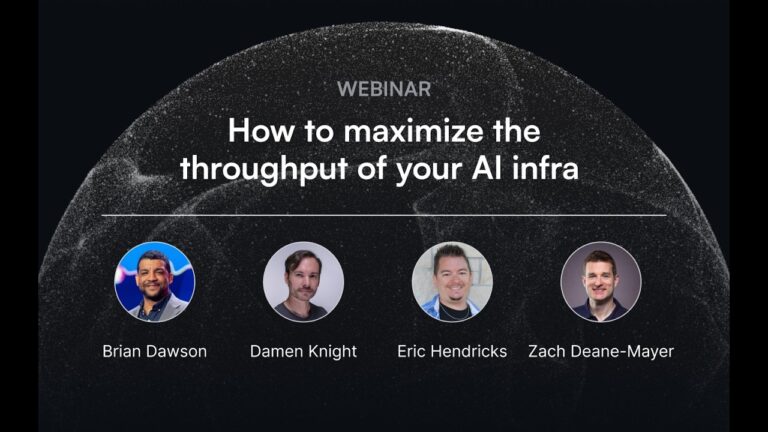
Getting a GPU box ready for AI workloads is way harder than it should be, and we proved that live on the CIQ Webinar Series on April 2nd.
I brought in Brian Dawson from CIQ product management, Damon Knight (CIQ’s resident AI nerd and automation engineer), and Zach from AI Insight Solutions for an honest conversation about where most organizations actually are when it comes to GPU infrastructure. The short answer: a lot of people started on cloud, found it expensive, bought hardware, and are now figuring out that running AI on prem is a whole different problem.
The demo said everything. We ran a fresh Ubuntu setup through the full stack, including Nvidia drivers, CUDA, the CUDA toolkit, cuDNN libraries, and PyTorch, with Damon copy-pasting commands he spent months refining. Time to first inference: around 13 and a half minutes, and roughly 10 of those were just prerequisites. Compare that to RLC Pro AI, which ships with the validated stack already baked in. Same hardware, same demo code, first tokens in about 3 minutes and 30 seconds.
What makes that difference real at scale is validation. It is not just that the stack installs faster. It is that CIQ actually tested the dependency combinations, recompiled PyTorch with the right flags, and confirmed the GPU is doing the work instead of silently falling back to CPU. Damon’s point about checking Nvidia SMI and seeing 0% GPU utilization hit close to home for anyone who has been there.
If you are building or managing AI infrastructure, this one is worth watching.
Subscribe to The IT Guy Show on YouTube and follow along at itguyeric.com for more Linux, open source, and infrastructure content.
What Enterprise Linux Support Actually Means (And Why It Matters)
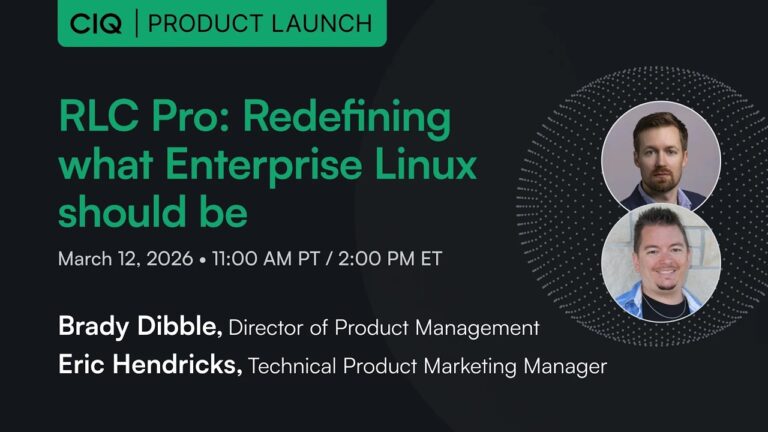
Rocky Linux is everywhere, and for good reason. But community is not always enough, and this webinar is where Brady Dibble and I got into exactly what changes when you need a vendor behind your Linux stack.
Brady is CIQ’s director of product management and honestly one of the clearest thinkers I have talked to on the topic of enterprise Linux. We started at the 40,000 foot view: enterprises are not planning infrastructure in years, they are planning in decades. And that long-term stability calculus gets complicated fast when AI is forcing you to chase the latest kernel features and GPU support at the same time.
A big chunk of our conversation was about the difference between RLC Plus and RLC Pro, and when each one makes sense. RLC Plus is free, vendor-validated, and great for homelabs, startups, and anyone who needs more than community but is not running regulated production workloads. RLC Pro is where you get LTS, FIPS 140-3 compliant modules, indemnification, and actual support when things go sideways. Brady also made a point that stuck with me: you do not have to choose upfront. You can start on RLC Plus and move a node to Pro with basically a single command.
We also got into what indemnification actually means in practice, how FIPS compliance differs from FIPS certification, and why CIQ intentionally separated itself from the Rocky Linux project governance. That last one surprises a lot of people, and it came up at SCaLE just before we recorded this.
If you are running Linux in production or evaluating your options, this one is worth the watch. Subscribe to The IT Guy Show on YouTube and follow along at itguyeric.com for more.
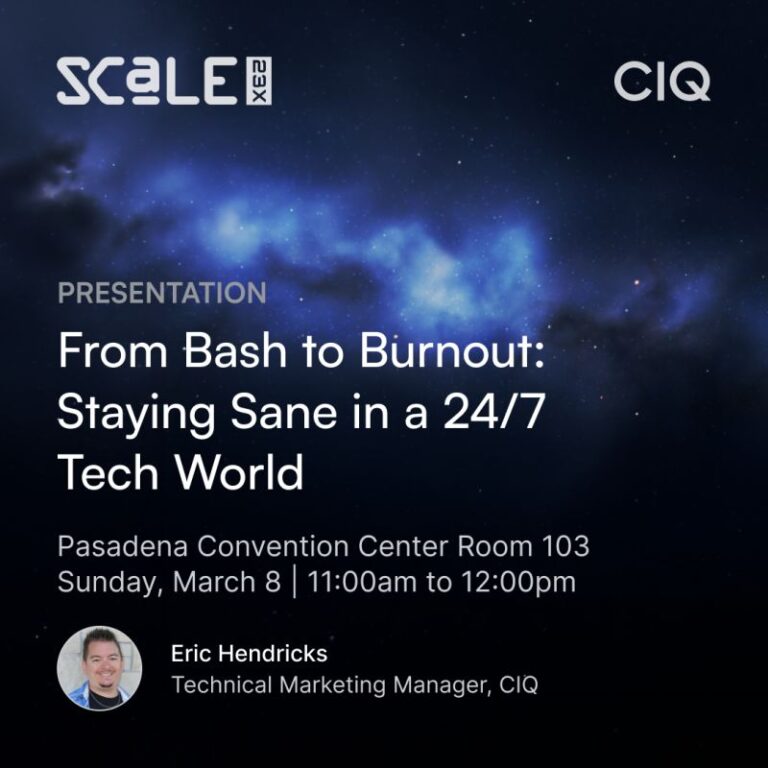
This one was personal. I gave this talk at SCaLE 23 in Pasadena as part of Open Source Career Day, and I will be honest, I almost did not write it because it meant putting some very uncomfortable things on a slide.
In 2025 I lost a job I had held for five and a half years in a seven-minute call. Over the next 96 days I worked overnight shifts at a gas station, interviewed on no sleep during what should have been my sleep hours, and spent a lot of time figuring out who I was when the job that had become my identity was gone. I also said yes to teaching Linux administration at Johnson County Community College, which I almost turned down, and eventually landed at CIQ. Both of those came through my network, not job boards.
The talk covers what burnout actually looks like before you realize you are in it, the patterns that get technical people there faster than most, and some practical steps I used to stabilize and rebuild. I talk about the hero trap, context switching, the identity trap, and what a blameless postmortem on my own situation taught me. There is also a question I started asking people in my life that has saved me more arguments than I can count, and I share it in the talk because it is genuinely that useful.
This is not a polished keynote. The slide deck had some technical issues live, I was processing some heavy personal news the morning of the talk, and it shows. But I think that is part of why it landed the way it did.
I gave this talk at SCaLE 23x in Pasadena as part of Open Source Career Day, and it is probably the most personal thing I have ever put on a stage.
2025 was a hard year. I lost a job I had tied my entire identity to, spent 96 days working overnight shifts at a gas station, and went through some personal upheaval I was not prepared for. I did not plan to turn any of that into a conference talk. But when I was asked to speak, it felt dishonest to stand up in front of a room full of sysadmins and IT folks and pretend I had it all figured out.
The talk covers what burnout actually looks like before you realize it is happening, the patterns that lead there, the signals I missed in my own life, and some practical things that genuinely helped. Not productivity hacks. Real stuff, like building a daily rhythm when everything falls apart, maintaining a few relationships with no agenda, and learning to separate your identity from your employer before a reorg does it for you.
I also talk about what I did right after the layoff and what I would do differently. Spoiler: I should have taken time to grieve before immediately hunting for the next thing.
If any of this sounds familiar, the recording is worth 40 minutes of your time.
Burnout is not a personal failing. It is a warning sign. I needed someone to say that to me in 2025, so I figured I would say it to a room full of people instead.
Proactive Linux Security: How RLC Hardened Goes Beyond Patching
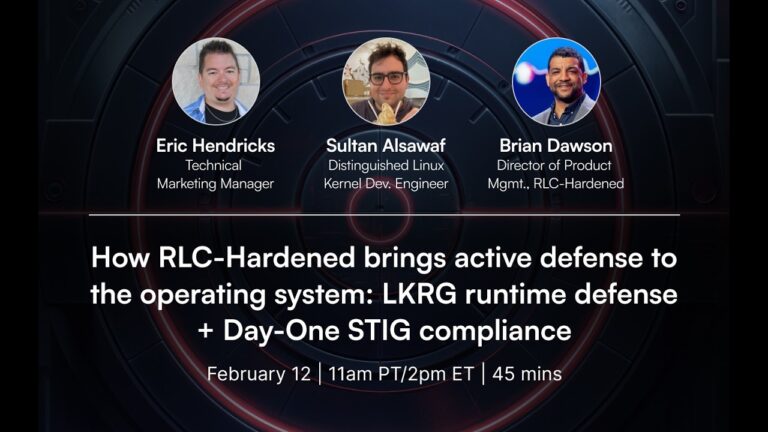
Reactive security is table stakes at this point, and it is not keeping up. I sat down with Nathan Blackham, Brady Dibble, and Sultan Alof from CIQ to talk about what it actually looks like to build defense into the operating system from day one.
The conversation started with something that hits close to home for anyone managing Linux at scale: CVE volume has exploded. The Linux kernel became its own CVE numbering authority a few years back, which means every commit gets evaluated for security relevance. That is good in theory, but in practice it means patching has become a near full-time job, and mission usually wins when you have to choose between a reboot window and keeping production up. Brady put it plainly: compliant and secure are not the same thing, and the gap between them is where things go wrong.
That is the whole premise behind RLC Hardened. It ships with a set of code-level changes designed to close off entire attack vectors before a CVE even exists for them. That includes a hardened glibc build, hardened malloc, tightened OpenSSH that drops the XZ library linkage after startup, stronger password hashing via yescrypt, and a few other targeted modifications. The gold image comes out at 95% STIG compliance on day one, which is an actual measured number, not marketing copy.
The standout piece is LKRG, the Linux Kernel Runtime Guard. Sultan walked through how it works and it is genuinely different from anything else in this space. Rather than scanning for known exploit signatures, it watches for the end goal of an exploit, things like a process claiming root credentials it never earned through legitimate channels. The demo showed it killing an exploit attempt cold, and the performance overhead is around 2.5%, which is low enough that most workloads will not notice it. It also ships signed for secure boot, which matters a lot in regulated environments.
If you are running Linux in production and security compliance is part of your world, this one is worth your time. Subscribe to The IT Guy Show on YouTube and follow along at itguyeric.com for more.
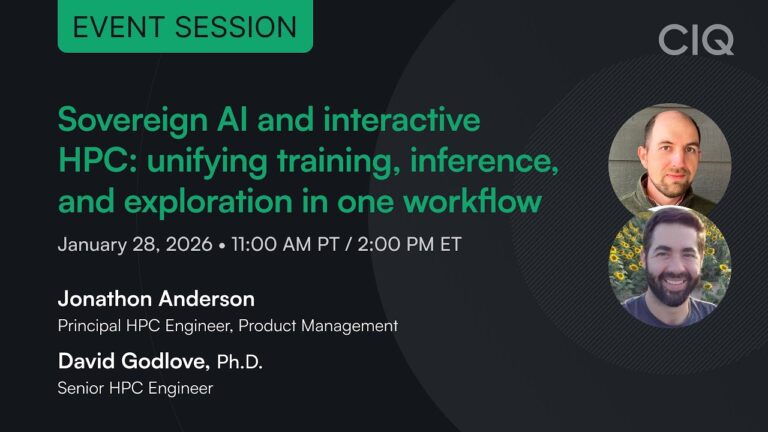
Sovereign AI Infrastructure: Training, Inference, and Exploration in One Workflow
This was my first CIQ webinar and I walked away genuinely excited, which is not something I say lightly. Dave Godlove and Jonathan Sparks showed off Fuzzball’s new service endpoints feature and what it unlocks for teams that want to run their own AI without handing their data to someone else.
The core problem Jonathan laid out is something a lot of teams are quietly dealing with. Training, fine-tuning, building a RAG index, and running inference have traditionally been treated as completely separate workflows, often on separate tools. Fuzzball has always been a batch processing engine for HPC workloads, but service endpoints change the picture. Now a single workflow can include batch jobs that ingest and vectorize your documentation alongside a persistent AI service you can actually talk to, all managed through the same interface.
The demo Dave walked through made this concrete. Wolfgang (a colleague who built the workflow) set up a local AI stack inside Fuzzball that pulls documentation from a private GitHub repo, builds a vector database using local recall, and serves it through a RAG-enabled model you can query directly in the browser. No data leaves your environment. No external API calls. The model knew about Fuzzball because it had been trained on Fuzzball’s own docs, running entirely on CIQ’s infrastructure. Dave also showed off a virtual desktop service and a Jupyter notebook environment running through the same setup, both accessible with a single click from the web interface.
What got me was the scope controls. You can restrict a service to just yourself, share it with a team, or open it to your whole organization, and that applies to the AI model the same as anything else. The use cases kept expanding as we talked: internal documentation bots, sovereign coding assistants, VDI for remote research teams, agentic workflows connected to Slack or GitHub. All of it on hardware you control.
If you are curious what self-hosted AI actually looks like in practice, this one is worth your time. Subscribe to The IT Guy Show on YouTube and follow along at itguyeric.com.
I hosted this short tutorial for the official AlmaLinux YouTube channel covering how to install Nvidia drivers on AlmaLinux 10, one of those setup steps that trips people up if they have not done it before.
The short version of why this matters: AMD and Intel GPUs work out of the box on Linux using open source Mesa drivers. Nvidia does not. Getting full GPU performance and CUDA support requires installing proprietary drivers separately, and the process used to involve enough manual steps that it was a common pain point for anyone setting up a machine learning or rendering workload.
The video walks through the whole process, updating the system and rebooting to the latest kernel first, enabling the official AlmaLinux Nvidia driver repository, installing the driver and kernel module packages, and then verifying the install with a quick sanity check. CUDA tools for GPU computing get covered at the end for anyone going that route. No manual downloads, no messy installers.
How to Start Contributing to AlmaLinux by Submitting a Pull Request
I hosted this short tutorial for the official AlmaLinux YouTube channel walking through how to submit your first pull request to an open source project without ever opening a terminal.
The barrier to contributing to open source is usually perceived as higher than it actually is. Most people assume you need a configured local environment, command line fluency, and a solid understanding of Git before you can help. For documentation fixes, typo corrections, or small additions, none of that is true. The whole process, forking the repo, creating a branch, making a change, and opening a pull request, happens right in the GitHub web interface.
The video walks through it step by step using an AlmaLinux repository as the example. Fork the project to get your own safe copy, add or edit a file, write a commit message, and propose the change for review. The pull request is how you hand that change back to the maintainers, who can then leave comments, request revisions, or merge it into the project. Same concept as a merge request on GitLab, different name.
Getting people past their first contribution is something I genuinely care about. Open source only works if the on-ramp is accessible, and this is about as low a barrier as it gets.
Ending the Linux Tradeoff: Enterprise Features on Community Linux
I hosted this solo webinar for TuxCare making the case that you do not actually have to choose between community Linux and enterprise-grade support. The whole pick-a-camp framing is a false choice, and that is what the session is built around.
The first half covers why community distributions like AlmaLinux and Rocky Linux are increasingly showing up in production environments, and what the real concerns are when they do. Not just licensing costs, but patching velocity, compliance requirements like FIPS and FedRAMP, supply chain integrity, and what it actually costs your team to be the only ones on call at 2 a.m. Free software is not free if your people are the support contract.
The second half gets into how TuxCare Enterprise Support, KernelCare, Radar, and the Endless Lifecycle Support offerings layer onto a community distribution to address those concerns without locking you into a commercial vendor’s opinionated build. I also walked through rebootless patching in some detail since it comes up constantly and deserves a real explanation rather than a marketing bullet point.
The Q&A covered RHEL to AlmaLinux migration paths, FIPS compliance across version upgrades, and what to do if you are still running CentOS 7. My answer on the last one was only partially a joke.
This webinar sits at the center of what I do: translating real infrastructure concerns into a conversation that makes sense to both the sysadmin in the room and the person signing the budget.
AlmaLinux Enterprise Support: TuxCare Webinar with Benny Vasquez
I hosted this webinar for TuxCare with Benny Vasquez, chair of the AlmaLinux OS Foundation. We covered a lot of ground in about an hour, and honestly the pre-show conversation was just as good.
The core thread running through the whole thing was a question worth asking before you ever pick a Linux distribution: is this actually a strategic decision, or are you just grabbing whatever you know? Benny made a point early on that landed well: when you choose your distro, you need to understand what’s driving the organization behind it, because if that organization shifts priorities or disappears, so does your stability plan. That reframed the conversation from package managers and command sets to long-term infrastructure thinking.
We got into the AlmaLinux Foundation structure, how it was built specifically so the project can never be bought or sold, what the day-to-day looks like for a volunteer-driven distribution at enterprise scale, and how TuxCare’s enterprise support fits alongside a community distro like AlmaLinux. We also covered hardware support extensions in AlmaLinux 10, the CentOS 7 migration path, and what Benny called the goal: pick AlmaLinux and then not have to think about it again.
The tangents were good too. Benny’s WordPress story hit close to home.
Hosting technical webinars with community leaders is one of the things I genuinely enjoy. Getting someone like Benny to think out loud in front of an audience produces better content than any script would.
Run AI Locally on Fedora with Ollama: Live Ops 005
I wanted to run AI locally on Fedora using an Nvidia GPU I had sitting in my Dell PowerEdge R730 — and an hour and a half later, I actually got it working. Here’s what the road looked like.
The hardware is a Tesla K80, which is basically two 12GB VRAM cards in one chassis and cost me next to nothing off Amazon. The plan was straightforward: get the Nvidia drivers working on Fedora Server 41, pull down Ollama in a Podman container, add Open WebUI on top for a ChatGPT-like interface, and wire it all up behind NGINX Proxy Manager. I had notes. I had a cheat sheet. I was ready.
What I wasn’t ready for was Fedora’s relationship with Nvidia drivers. The Tesla K80 needs the 470.xx legacy driver, not the current one, and figuring that out took most of the first hour. Between installing the wrong driver version, conflicts with packages left over from previous attempts, and the driver service not loading cleanly, it took a force rebuild of akmods and dracut before nvidia-smi finally came back with output. AMD cards just work. Nvidia is a project.
Once the GPU was cooperating, getting Ollama running locally turned out to be easier than the container approach I’d planned, since the GCR image path for the Podman version kept returning errors. Ollama installed directly on the host, Llama 3.2 pulled down without complaint, and I had a working local model to talk to inside of a few minutes. DeepSeek R1 8B came along for the ride as a second model to compare. Open WebUI came up in a Podman container, and after a solid round of “why won’t this connect,” the fix turned out to be a single :Z flag on the volume mount — SELinux doing what SELinux does.
By the end of the stream, Open WebUI was running, both models were loaded, and I had a local AI setup I could actually use. The NGINX reverse proxy was still showing a bad gateway when I had to call it for the day, but that’s a problem for next session. On the to-do list: get RAG working so I can feed it my own blog posts as a local knowledge base, and eventually stop paying OpenAI for what I can run at home.
Watch the full stream above, and if you want to follow along as the homelab build continues, subscribe to the channel or grab the audio version of the main show at podcast.itguyeric.com.
The goal was simple: build a reusable Fedora golden image homelab template I can clone whenever I need a new server. Nothing about it was simple.
The plan was to use Image Builder inside Cockpit to create a base Fedora server image, then store the resulting QCOW2 file on my unRAID box so I can spin up new VMs on demand. I had packages already lined up in the blueprint: Crony, Cockpit, NetworkManager, bash completion, VIM enhanced, TuneD, and a few others. The Ansible service account was configured, IPv6 disabled at the kernel level, and automatic partitioning set so I’m not hand-holding every deployment. It was supposed to be a quick stream before the Fedora podcast.
What actually happened was a solid hour of fighting permissions issues with the welder group, a blueprint package that didn’t exist in Fedora the way it does in RHEL, and Image Builder refusing to build ISO images while happily producing QCOW2 files without complaint. Once I got the QCOW2 built and pulled down, I had to convert it to an IMG file using qemu-img convert just to get unRAID to accept it, then resize the image to 32 gigs because the VM came up with a 4.2 gig root partition and nowhere to grow. ext4 on an unRAID VM turned out to be less cooperative than I’d hoped.
The good news: by the end of the stream I had a booting Fedora VM with bash completion, VIM enhanced, and Cockpit already running, SSH keys in place, and the performance profile defaulted to virtual-guest automatically. The less good news: I’m probably moving VM deployment over to my Fedora-based ITG02 hypervisor from Live Ops 003, where QCOW2 management is a lot less painful. The Ansible playbook to automate the whole build-convert-deploy pipeline is the next piece, and that’s where things should start getting cleaner.
Watch the full stream above, and if you want to follow along as the homelab build continues, subscribe to the channel or grab the audio version of the main show at podcast.itguyeric.com.
A Dell PowerEdge R730 that’s been sitting in the rack collecting dust finally has a job: and this stream is the whole messy process of giving it one.
The goal was straightforward: install RHEL 8 on bare metal and get the R730 running as a RHEL hypervisor homelab host. But rather than just grabbing a stock ISO, I went straight to Red Hat Image Builder on console.redhat.com, because if you spent years doing TPMM work for RHEL, you use Image Builder. The hosted build queue had other ideas though, and what should have taken a few minutes turned into a 40-minute wait that only resolved after I kicked off a second build to shame the first one into finishing.
Once the ISO was finally in hand, getting the Dell to actually boot from it proved to be its own adventure. Wrong boot order, a RAM upgrade the server needed a moment to accept, and the classic “it wasn’t broken, just needed more time to transfer over the network” diagnosis courtesy of guest heckler Nate, the Iron Sysadmin. The install itself went smoothly once RHEL 8.10 got its turn: custom partitioning, a dedicated Ansible service account, kdump disabled, and TuneD set to virtual-host profile so the system optimizes for running VMs rather than general workloads.
After the install, I wired the box into Red Hat Insights, which is included with any RHEL subscription and immediately flagged a handful of advisories, two of which were auto-remediable via an Ansible playbook without ever leaving the Insights UI. Cockpit got enabled, the virtualization host package group went in, and I spun up a test VM to confirm everything was working. I wrapped the stream with a local Image Builder instance installed on the hypervisor itself, laying the groundwork for generating golden VM templates for Fedora, CentOS Stream, and RHEL without depending on the hosted service.
Watch the full stream above, and if you want to follow along as the homelab build continues, subscribe to the channel or grab the audio version of the main show at podcast.itguyeric.com.
The WordPress migration homelab project that started as a quick detour turned into a two-hour deep dive — because nothing in the homelab ever goes exactly to plan.
If you caught Live Ops 001, you know we got the Matrix server almost running — right up until an SSL certificate issue stopped us cold. The problem? itguyeric.com was hosted on Namecheap’s EasyWP platform, which doesn’t let you export your own certificates. The fix was obvious: move the site home. And with a $94 renewal coming up in about a week, there was really no reason not to.
The plan was to spin up a fresh Fedora server VM, deploy WordPress in a Podman container, migrate the site using the All-in-One WP Migration plugin, and wire it all up behind NGINX Proxy Manager with a Let’s Encrypt cert that covers both itguyeric.com and matrix.itguyeric.com. Clean, tidy, two birds one stone. In practice: wrong ISO architecture, a MariaDB port conflict, a file permissions hang, and a Matrix federation API that kept failing despite the federation tester saying everything was fine. Classic.
By the end of the stream, WordPress was running locally and the Matrix server was showing green check marks on the self-check — but federation between accounts still wasn’t cooperating. Eric called it to go take care of family, with a promise to sort out the remaining certificate and domain config issues in a follow-up.
The WordPress migration homelab journey continues — subscribe so you don’t miss Live Ops 003 when it drops. Audio version of the main show is always at podcast.itguyeric.com.
I fired up a livestream to do something I’ve been putting off way too long: bringing my self-hosted Matrix server back from the dead, live, in real time, with no safety net.
The stream started simple enough — spin up a fresh VM, throw CentOS 7 on it to match the original environment (don’t @ me), and use the Matrix Docker Ansible Deploy project to get everything running again. The goal was straightforward: restore the old setup, get the Matrix bridges reconnected to Discord and Slack, and then figure out how to modernize the whole thing on something like Fedora or even OpenShift down the road.
What actually happened was a four-plus-hour deep dive into DNS records, SSL certificate headaches, and Namecheap doing Namecheap things. By the end, federation checks were almost passing — but a CNAME where an A record needed to be, and a certificate tied to a shared hosting account I couldn’t extract cleanly, kept the finish line just out of reach. Classic homelab energy.
The good news: the Matrix server itself was provisioned, configured, and responding. The bad news: itguyeric.com’s WordPress site is hosted via Namecheap EasyWP, which doesn’t let you pull your own certs — so the next logical step is migrating the WordPress site home and tackling the SSL setup properly.
If you’re running your own Matrix homeserver or thinking about it, this stream is a pretty honest look at what that process actually involves — including the parts that go sideways. No polished edits, no second takes.
Watch the full stream above, and if you want to follow along in real time next time, join the IT Guy Show room on Matrix or hop into the Discord. You can also subscribe to the audio version of the main show at podcast.itguyeric.com.
I have loved video games my entire life. I got started on a Super Nintendo playing Super Mario Brothers and Super Mario Kart. That was the start of my #nerdlife. Haha!
It was great to sit down with Matt and talk D&D and play Terminator as part of my prep for a podcast. Not very often can you say leveling up is part of your show prep.
On this episode of Game Sphere I get the chance to talk with Eric from the Sudo Show. We talk a bit of DND and then we get into talking about Terminator Salvation and our first impressions of it after playing for a few hours.
Rocco was one of the people I instantly connected with in the open source community. His values and his love of the people in open source really resonated with me. Rocco really helped encourage me while finding my own voice.
We talked a LOT on this episode! We covered things from gaming to conferences to announcing the launch of the Sudo Show podcast!
In today’s episode of Linux Spotlight, I get to sit down with my friend Eric The IT Guy. Eric has been in the IT field for awhile and currently works for RedHat. We talk about his history in Linux, his job, Linux conferences and his new podcast called the “Sudo Show”.
I had the pleasure of speaking at the Kansas City DevOps Meetup in downtown Kansas City! It was kind of like a coming home party. KC DevOps Days is where I got my start at GitLab and set me on a path towards a career I never imagined possible. This event, in the vault of the downtown library was my chance to share GitLab’s story to my local meetup. It was well received and even led to an impromptu demo of the GitLab product!
In the IT Industry, many incidents have been misunderstood or blown out of proportion due to poor handling of communications during and right after a crisis arises. The how, when, and how much communication can be the difference between a media frenzy and an outage that people work through and forget about. Ever since a database outage in January of 2017, companies and contributors have received timely and effective communication from Gitlab.
I gave my Busting Open Source Security Myths talk at DevSecOps Days Denver to a packed out auditorium. If was so well received, I decided to bring it back for Day 2 of SELF 2019!
Developers are constantly being asked to make more and more powerful applications. The more feature-rich the application, though, the more prone to risk it becomes. Many have thought the solution is to keep the code base locked up tight, that open source is undesirable. The truth, however, is quite the opposite! More eyes on code has proven to increase the quality and security of the modern application.